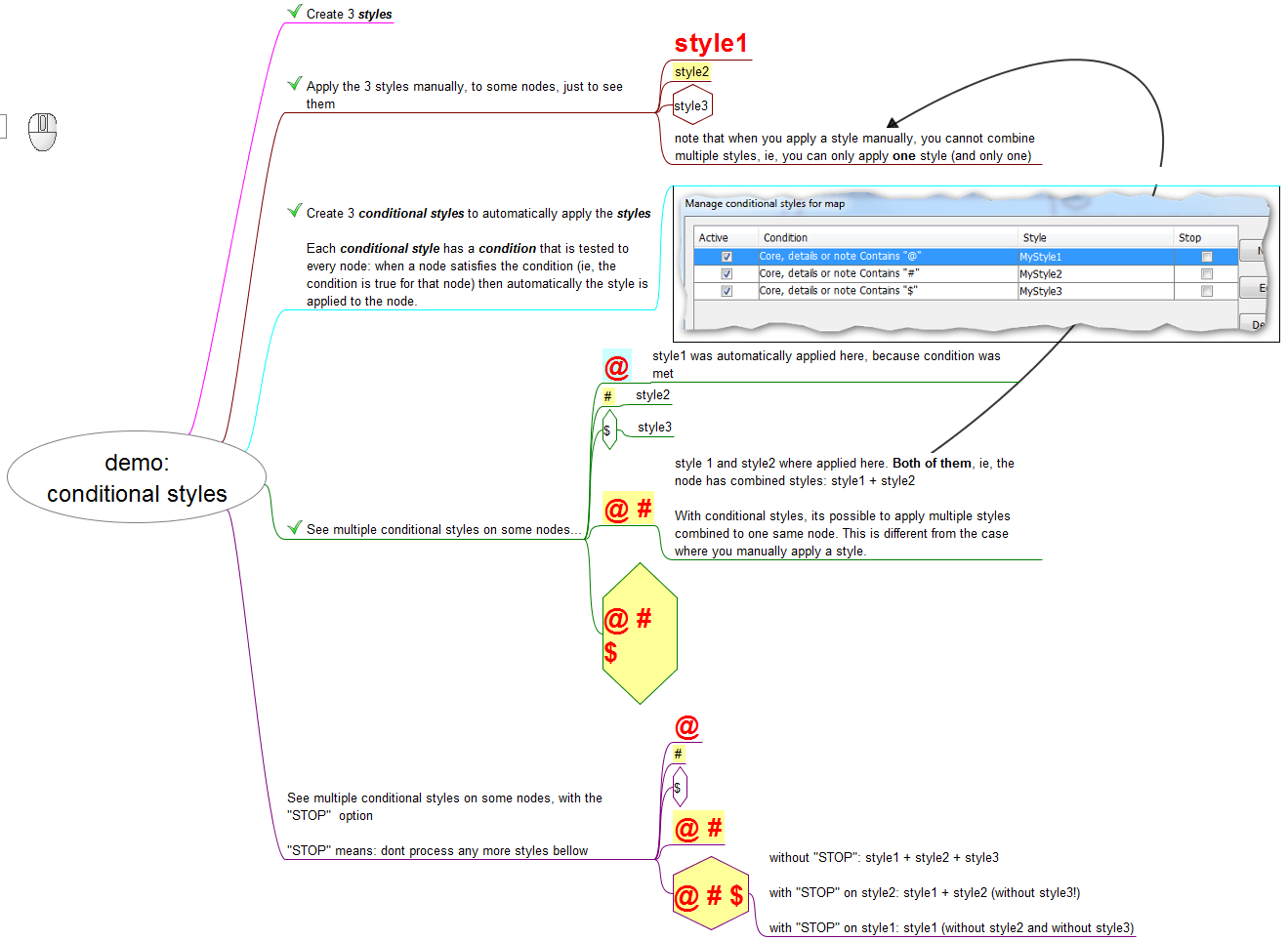
Nodes have several characteristics (colors, shapes, text content, icons, etc). The users of FreePlane can create rules to automatically associate a certain characteristic with a certain style. So this kind of rule works like this: if the node has this characteristic, then apply that style on it.
The rules for automatic node formatting consist of a condition like the conditions used for filters and a style name. Thus, node formatting can depend on its content, attributes, icons or level. They can be set using "Styles->Manage conditional styles".
Multiple styles simultaneously applied to one node
Because each style may set only some of the formatting attributes, the resulting node formatting is a sum of formats defined by explicitly set format, explicitly assigned style and all matching conditional styles.
So if there is more than one conditional style, all those styles are applied to the nodes that satisfy all those given conditions, and so each node will be formatted by a composition of multiple styles. Here, if different styles set different properties, all of them are applied to a node; otherwise the upper style has higher priority.
Read more about the layering of styles in the page Styles of the documentation.
The Stop button

The list in the Conditional Styles list can be seemed as a list of tasks that the user gives to FreePlane. FreePlane goes through each node of the map and executes all the tasks of the list on the node.
Each task is like this: if the node has this characteristic, then apply that style on it.
When Freeplane does the task on a node, this is what happens:
- if the node doesn't have the characteristic, Freeplane concludes: "false". And then continue for the next task;
- if the node has the characteristic, it concludes "true". And then applies the style, and goes to the next task
So, in both cases, Freeplane continues for the next task.
What the Stop button does is create this rule: if, in this task, you conclude "true", then don't continue to the next task. So, if that happens, FreePlane stops in the middle of the list of tasks, instead of going through all of it, as usual. Notice that it only happens if there is a "true" conclusion in the task where the Stop option is activated.
Video and Diagram explanation
Demo video of Conditional Styles (with and without the STOP option), and a resume diagram
https://youtu.be/ayfifHlbyjc